
Once Human Fixes Cross-Season Item Loss With Transit Storage and Recovery Tools
Once Human's cross-season settlement fix sends seasonal items to Transit Storage, preventing item loss and simplifying recovery.
When Once Human players raised concerns about items vanishing during cross-season settlement, the development team did more than nod politely. It opened an immediate investigation, traced the cause, and prepared a practical fix. The culprit was not a mysterious glitch in the stars—it was a capacity problem. When accumulated seasonal items exceeded backpack limits, some belongings failed to carry over into the new season. The team’s response arrives as a set of updates on June 5, including a private item recovery feature designed to stop similar losses in the future. For players planning 2026 season transitions, the lessons are simple: space matters, timing matters, and the new Transit Storage does much of the heavy lifting.
🎒 A Clear Diagnosis, Not a Shrug
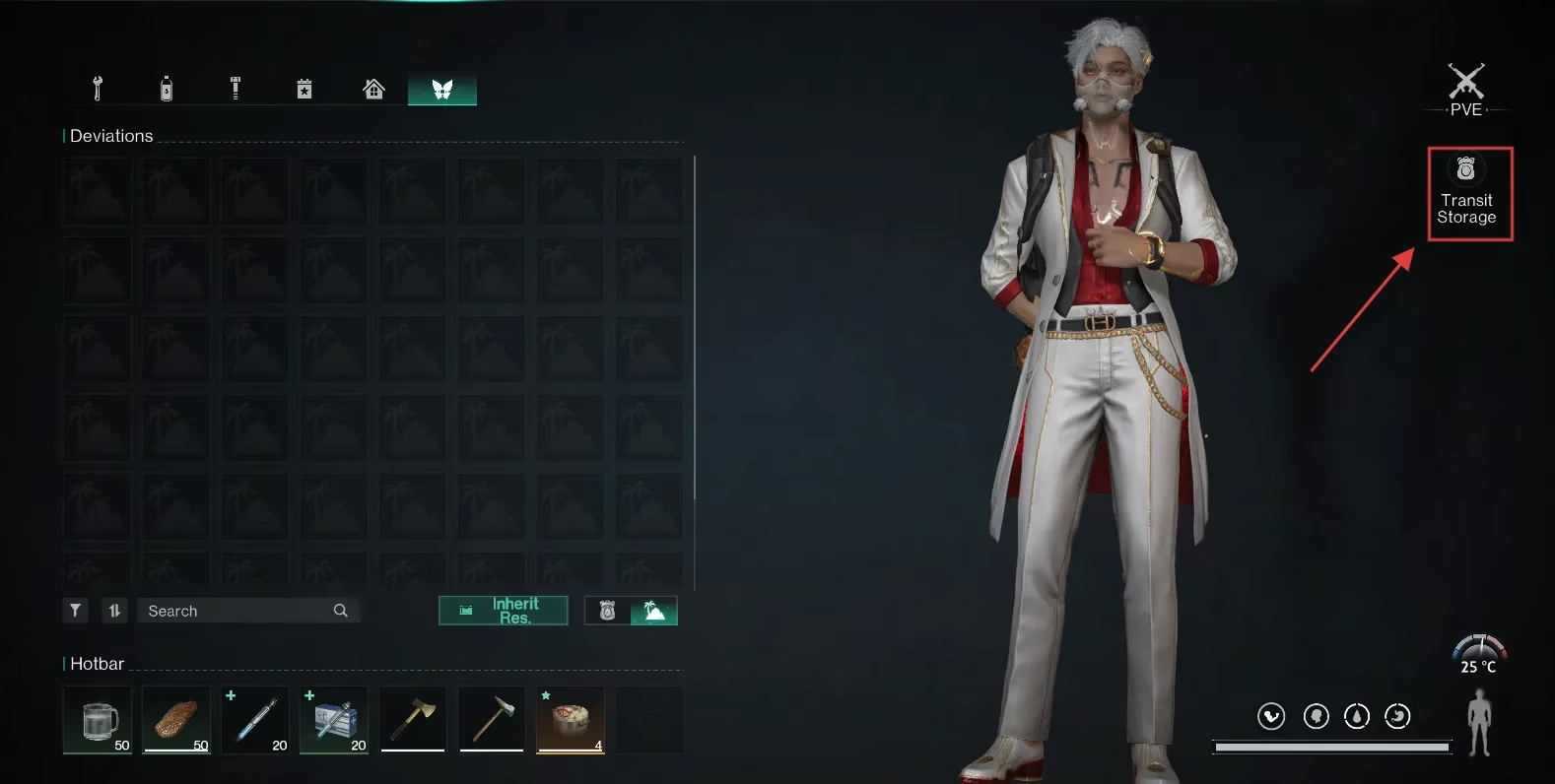
The investigation confirmed a specific failure point. Seasonal items piled up, the backpack hit its ceiling, and some items could not make the jump. The development team did not wave the problem away. Instead, it changed the route. After the update, all items involved in season-end settlement go directly to the Transit Storage instead of the Spacetime Backpack or Temporary Backpack. That single change prevents item loss caused by insufficient backpack capacity. Items already sitting in the Spacetime or Temporary Backpack stay where they are, so players do not need to panic-move everything before the update.
The Transit Storage also brings order to a chore that used to feel like rummaging through a cluttered attic. Its capacity has been expanded to a maximum of 7,000 slots, and the system automatically categorizes items. Players no longer have to manually search across multiple backpacks. The system does the boring sorting work. That is a small quality-of-life win with a big effect on season-start stress.
⏳ Storage Rules at a Glance
| Feature | What players should know |
|---|---|
| Settlement destination | Season-end settlement items go directly to Transit Storage. |
| Existing items | Items already in Spacetime or Temporary Backpack remain there. |
| Capacity | Up to 7,000 slots. |
| Sorting | Automatic categorization by the system. |
| Retrieval | Items must be manually moved from Transit Storage to Spacetime Backpack. |
| Storage duration | 30 days. If a player is offline during settlement, the countdown starts on next login. |
| Expiry | Unclaimed items automatically convert into Astral Sand. |
| Priority | High-value items are kept first; lower-value items beyond capacity become Astral Sand. |
Retrieval is deliberate, not automatic. Players must manually move items from the Transit Storage to the Spacetime Backpack, so they should check available space first. The countdown does not wait around. Once it begins, items need prompt management. After 30 days, anything unclaimed turns into Astral Sand. The priority system helps protect the most valuable goods, but it is not a magic wand for unlimited storage. When lower-value items exceed capacity, they convert into Astral Sand.
🛠️ A Recovery Path for PvE Players
The update also addresses a familiar headache: the item that was definitely stored somewhere, in someone’s territory, at some point before the season changed. Players who were in a PvE scenario before the season ended and forgot where certain items were stored—such as which friend’s territory held them—or forgot to retrieve them before the transition can now recover those items through Backpack - Inherit Resources - Retrieve Supplies. From there, they can move the recovered goods to their Vault or Spacetime Backpack.
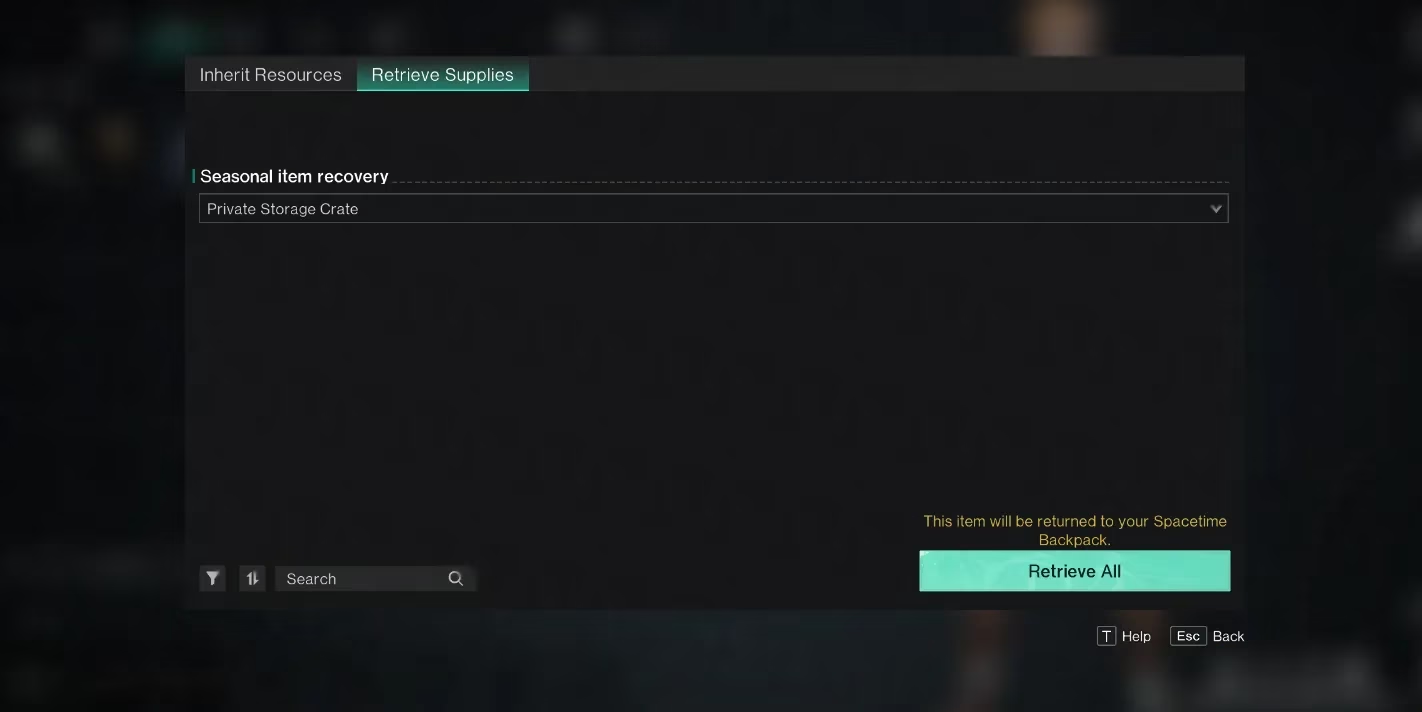
This feature has boundaries, and they matter. Collection items are automatically included in the settlement process, whether a player is in PvE or PvP scenarios. The recovery feature works only if both the player and the friend are in PvE scenarios after the season transition. It still works even if they are in different PvE scenarios, so server separation is not a reason to lose items. In PvP, however, the feature is not available. That restriction keeps PvP balanced and prevents the system from becoming a completely safe storage spot. Players should avoid storing valuable items in PvP scenarios to prevent loss.
✅ Practical Checklist for the Next Transition
-
Players should ensure there is enough space in the Spacetime Backpack before retrieving items from Transit Storage.
-
Once the Transit Storage countdown begins, players should manage items promptly to prevent automatic conversion.
-
At the end of a season, players should store personal items in their own territory to reduce the risk of loss.
-
If items were already lost because of this issue, players should contact Customer Support in-game. Because of the high volume of data, they should include detailed information about the lost items so the team can locate and restore them.
The June 5 update does not make season transitions frictionless, but it makes them fairer. It replaces a silent capacity trap with a visible storage stop, a countdown, and a recovery route for PvE players. In 2026, that combination still deserves attention. Players should check the backpack, watch the clock, and keep valuable items close. And when something goes wrong, support needs the details. Simple. But important.